Lease View
LeaseQuery - 2022
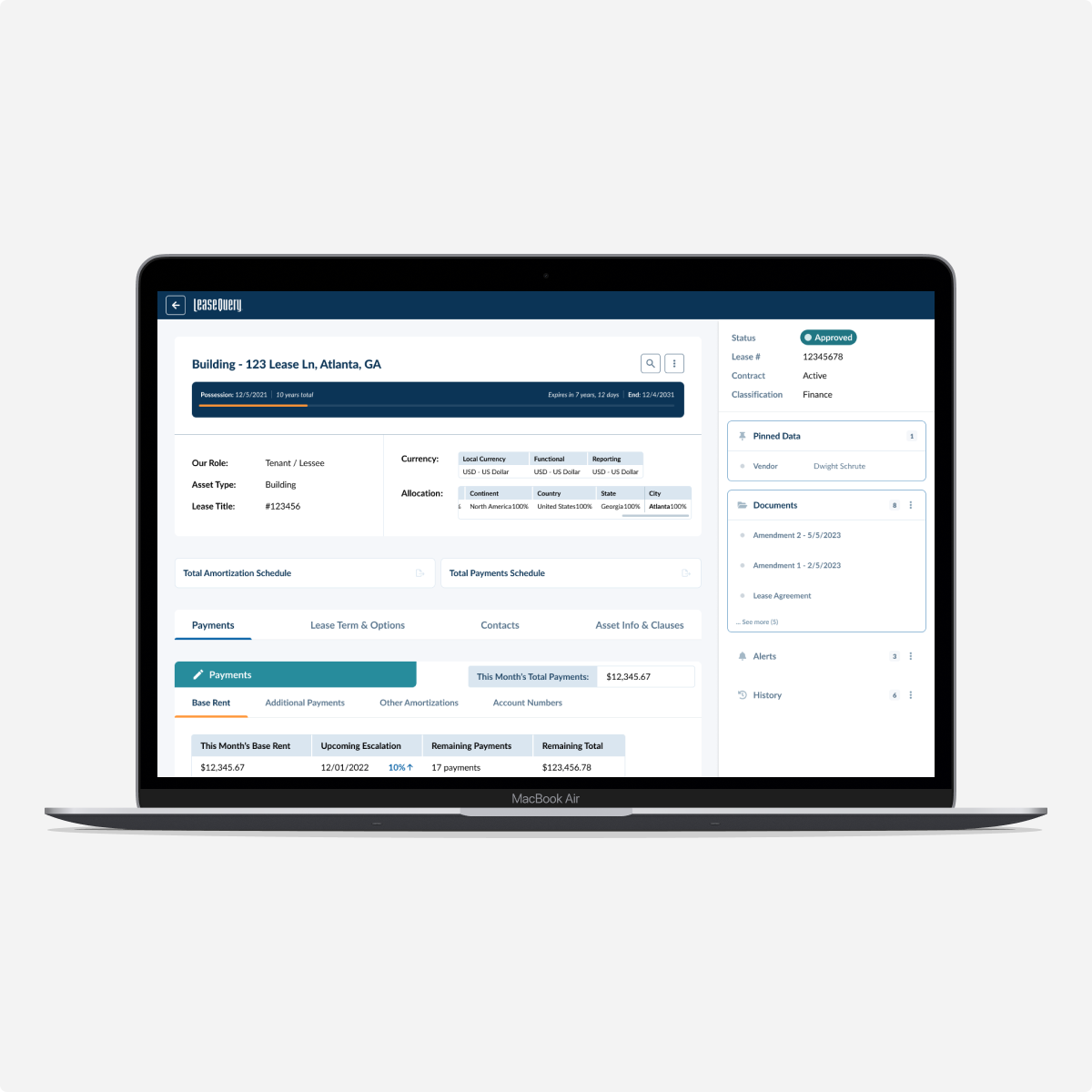
Overview
As part of a broader effort to modernize our lease accounting software, we had recently redesigned the lease entry flow and began shifting focus to improving the Lease Detail View, an initiative I led while collaborating with other designers working on related features. Our team included two in-house UX designers (including myself) and two contractors. Beyond design responsibilities, I also helped onboard the contractors, plan the overall timeline, and facilitate collaboration through workshops and communication.
My Role
User Research
Wireframing & Iteration
High-Fidelity Design Delivery
UX Strategy & Communication
The Problem
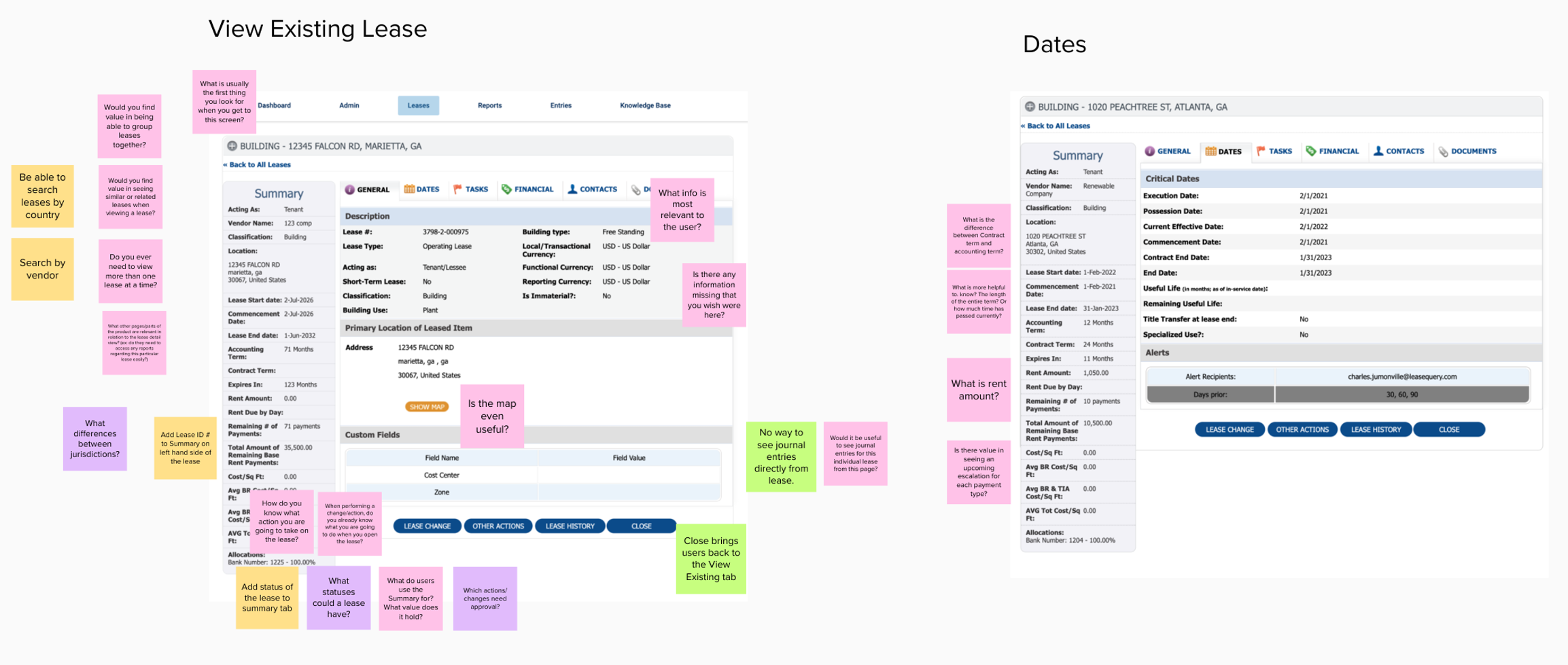
LeaseQuery users struggled with the existing Lease Detail View, which did not align with their workflows. Important information was difficult to find, and there was no clear way to track the status of lease changes and approvals. Additionally, key lease actions—such as updating, deleting, replacing, copying, and adding documents—were not easily accessible. The goal was to create a more intuitive, structured, and efficient lease management experience.
Project Timeline
Weeks 1-4: Research, discovery interviews, journey mapping, competitor analysis
Weeks 5-7: Wireframing and design iterations
Weeks 8-10: Prototyping and user testing
Weeks 11-14: Findings assessment and final design refinements
Discovery
To start the discovery phase, we evaluated the current system holistically and brainstormed key concepts to explore—focusing on user pain points and potential areas for improvement. From there, I outlined a research plan that included Research Objectives, Methodology, and Hypotheses.
Research Objectives
To better understand the user’s process when viewing and managing existing leases.
To assess usability of the current LeaseQuery Leases tab.
To uncover areas of opportunity for the new Leases experience.
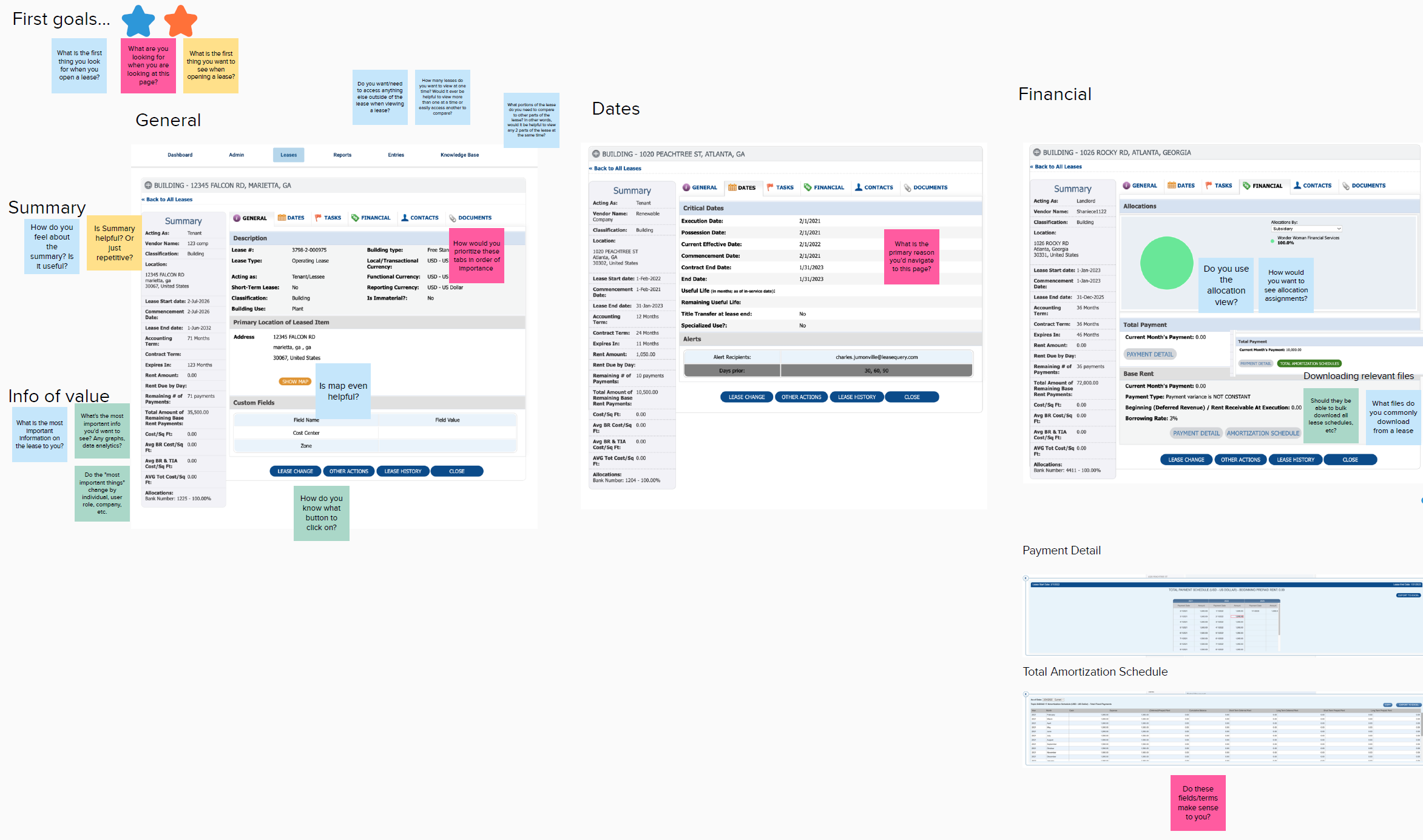
Discovery Brainstorming
I led a brainstorming session with our design team to collaboratively identify key areas to explore during the discovery phase and generate meaningful questions for the survey and upcoming user interviews.
Survey
We put together a broad survey to collect initial feedback and recruit participants for interviews and user testing. Questions included the following examples:
What is the most frustrating part of the lease experience in LeaseQuery
If you could change one thing about the lease experience in LeaseQuery, what would that be?
Overall, how satisfied are you with the Leases section in the product?
OOUX (Object-Oriented UX)
I employed OOUX methodology to define and simplify lease-related concepts:
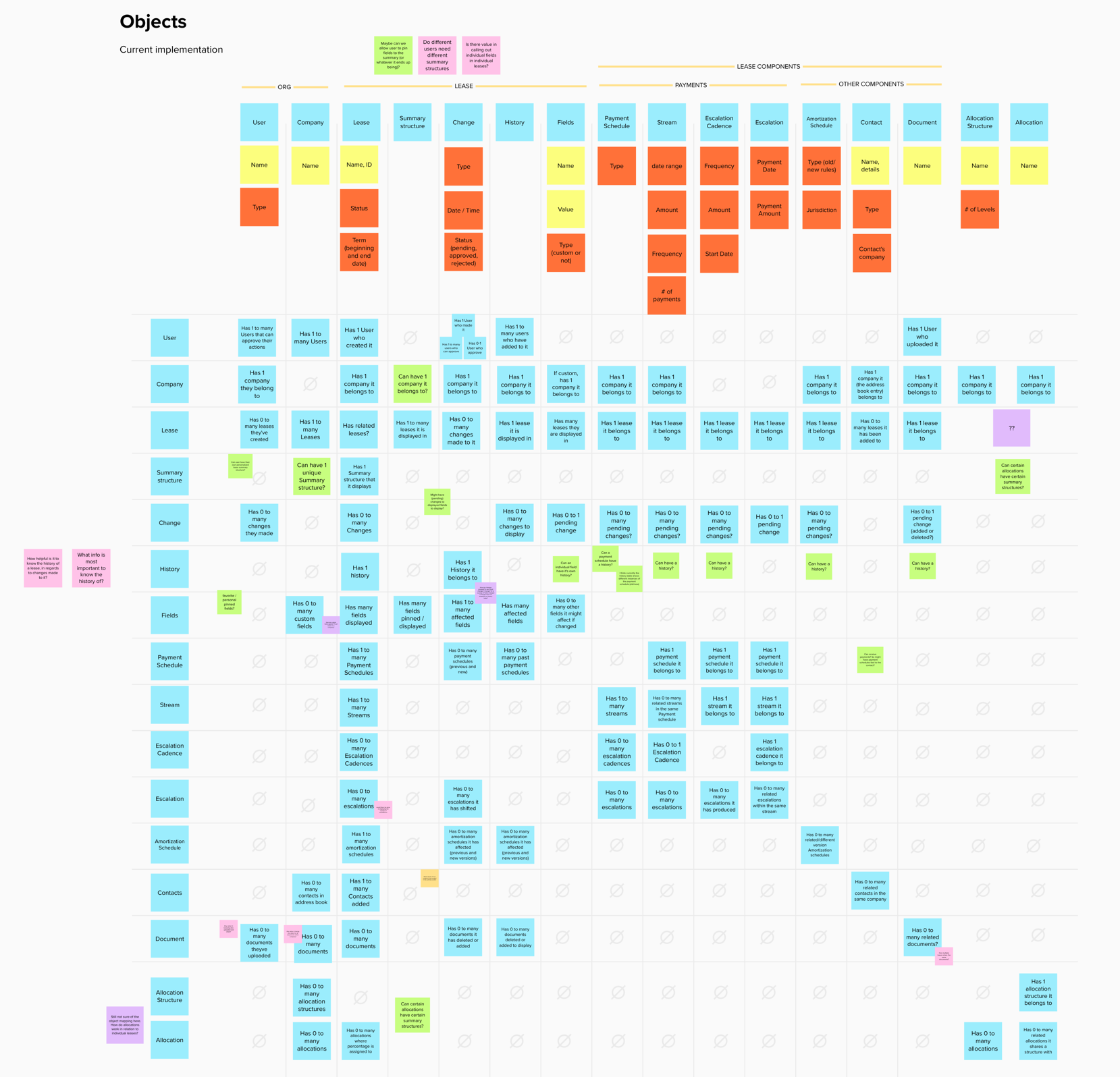
I started by creating an object map of the current system to identify and visualize key entities and their relationships. This helped me to identify key questions to address in further iterations (depicted by the green sticky notes). The mental model of objects for the original system was clunky and unnecessarily complex.
Using insights from user feedback, survey results, and my domain knowledge, I created a new proposed object map for a streamlined future system. The new proposed system was more simple and flexible.
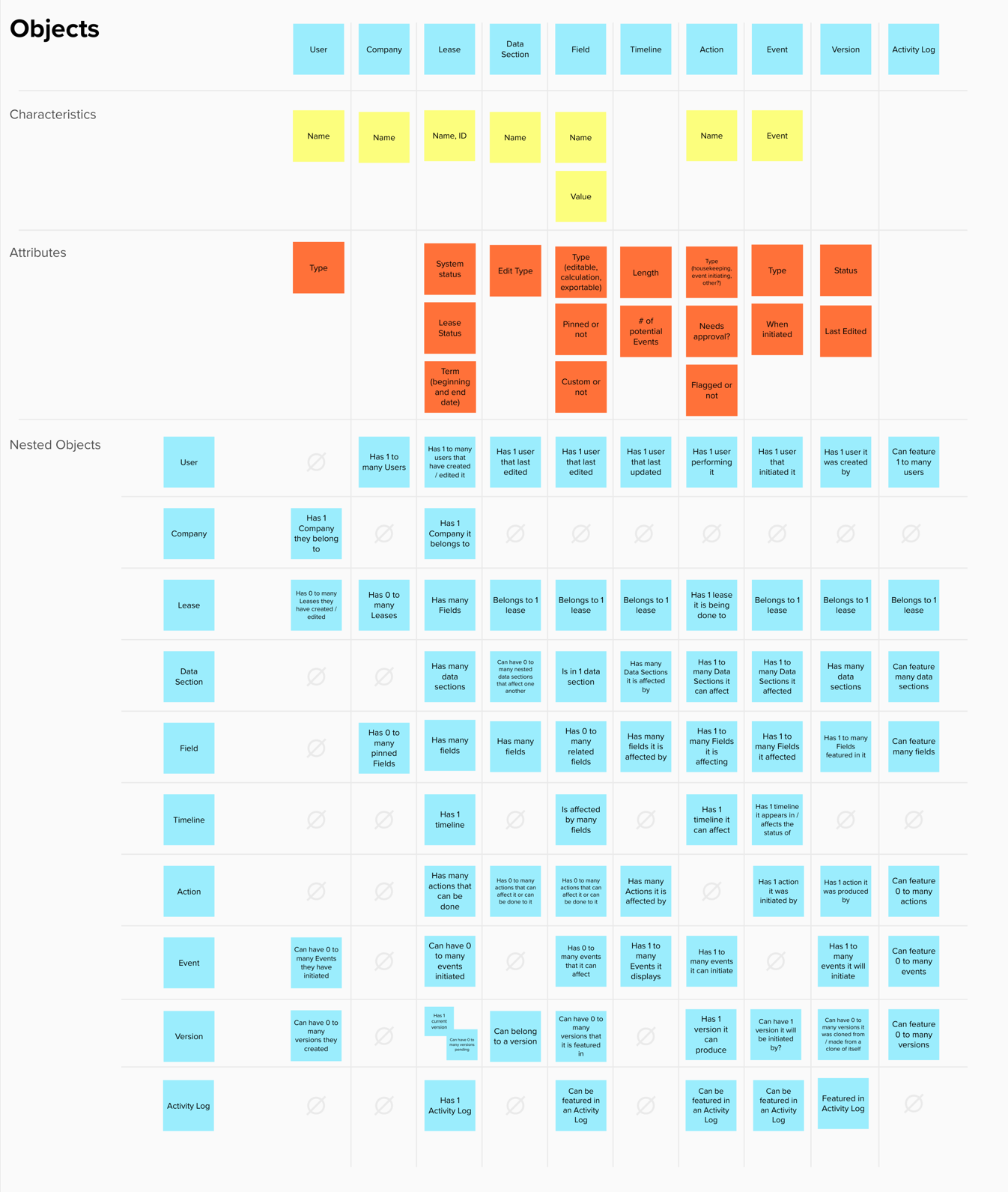
This work helped me align my design with users’ mental models and form a strong foundation for eventual wireframing.
Journey Map
From previous feedback, survey results, and an assessment of the current system, I drew up a user journey map of the current lease view experience, to communicate with stakeholders the current state of this portion of the product and how customers may perceive it
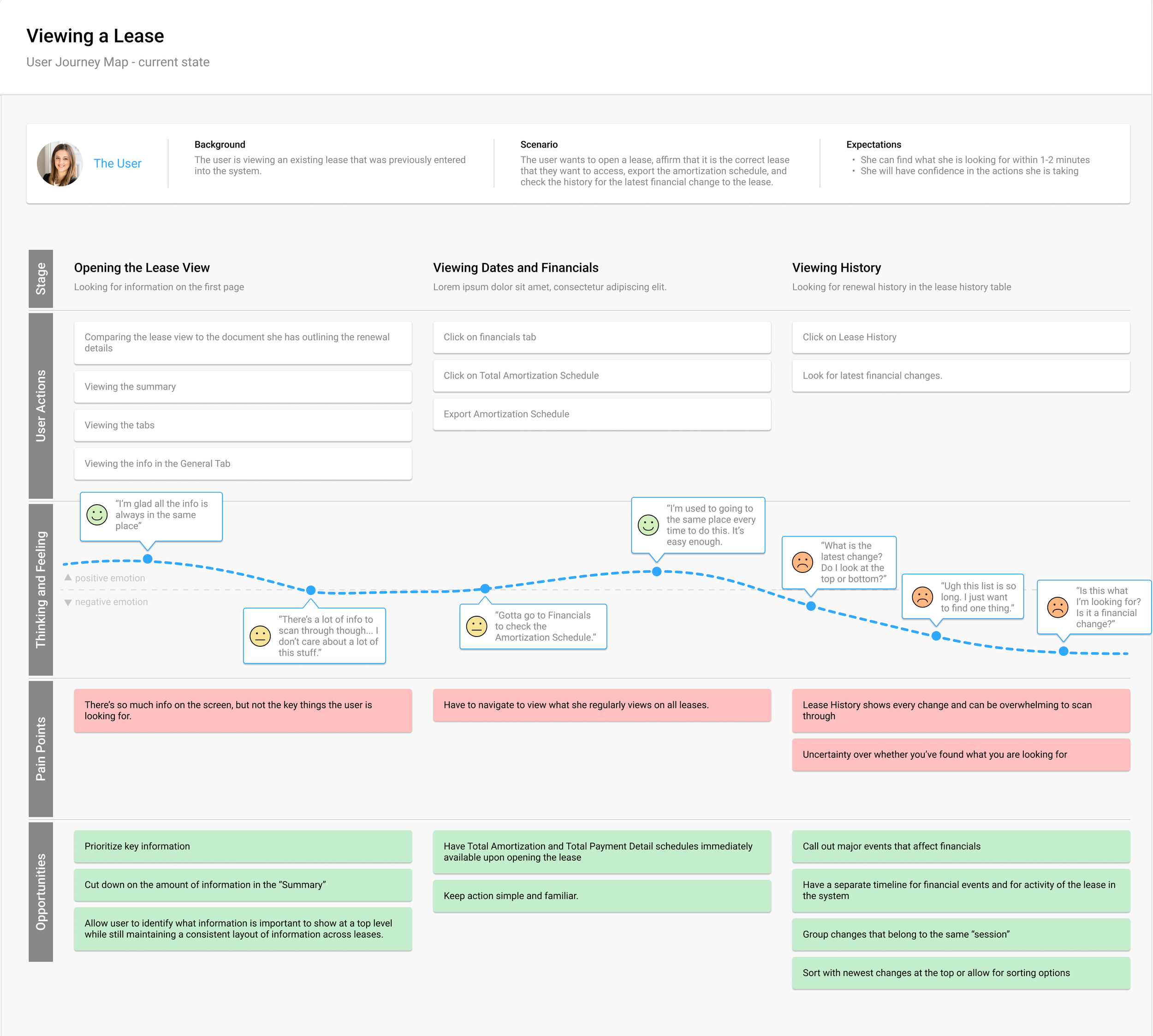
Discovery User Interviews
We launched 11 in-depth user interviews. Interviews consisted of a script of 30+ questions, organized by research objective and marked by priority.
Example questions and topics:
The most frustrating aspects of the current lease experience.
The first thing they look for when opening a lease.
Their expectations around lease history, financials, and actions.
My role included facilitating these interviews as well as taking notes if another designer facilitated.
Beyond these interviews, the team also watched and gathered notes from previously held customer interviews regarding related features and topics.
The resulting notes were compiled into a Mural board, color coded by each participant to be affinitized by outstanding insights, sentiment, common themes, and goals to address user’s needs.
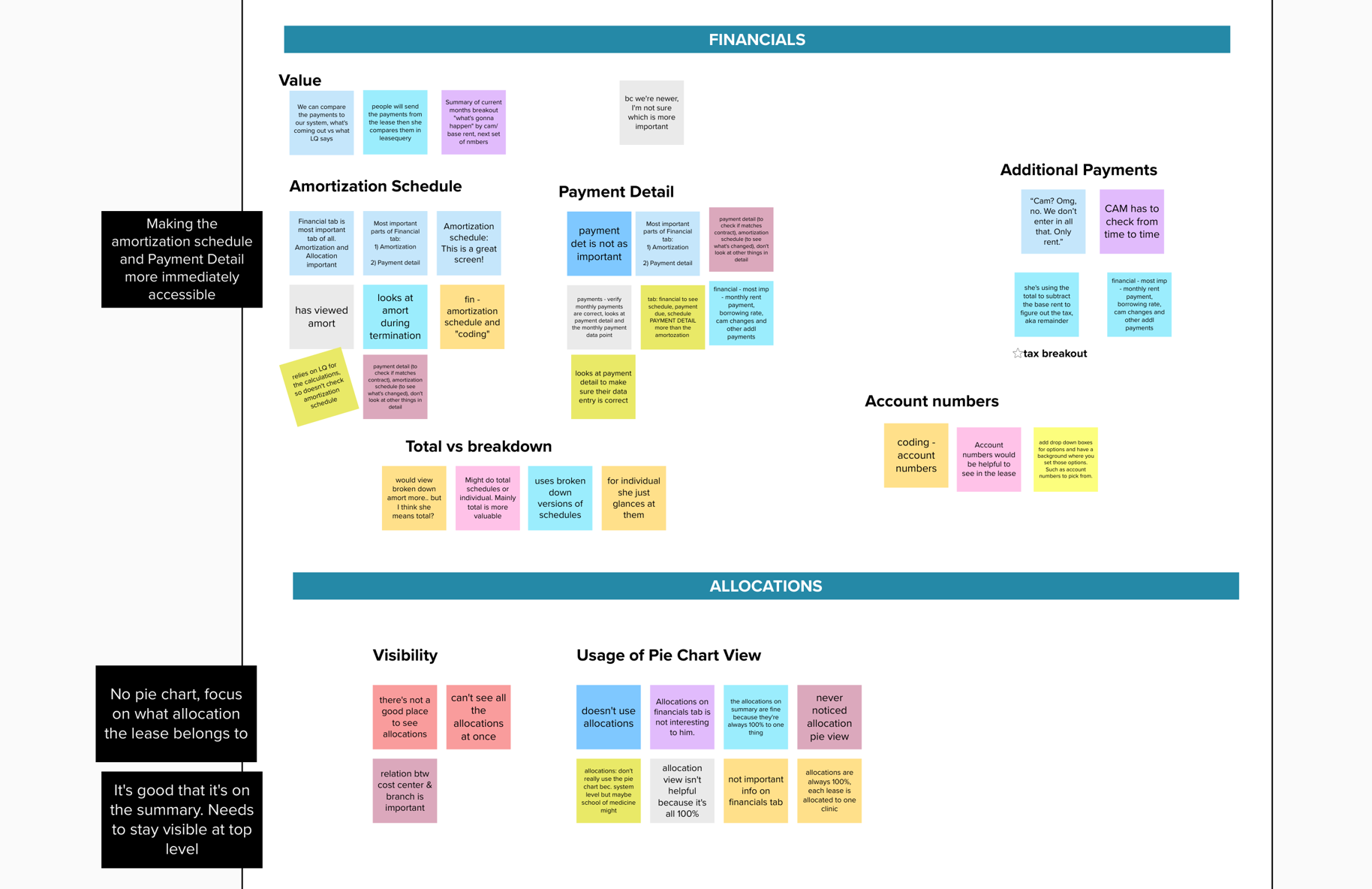
Discovery Findings
We created a findings presentation to share key research insights and proposed strategies with stakeholders. The presentation covered research objectives, methods, key takeaways, and actionable recommendations—backed by both qualitative and quantitative data. Each designer owned the findings and recommendations for their respective feature. The highest priority insights were presented while all insights were compounded into an appendix.
For example, the Lease View feature had insights and recommendations such as the following:
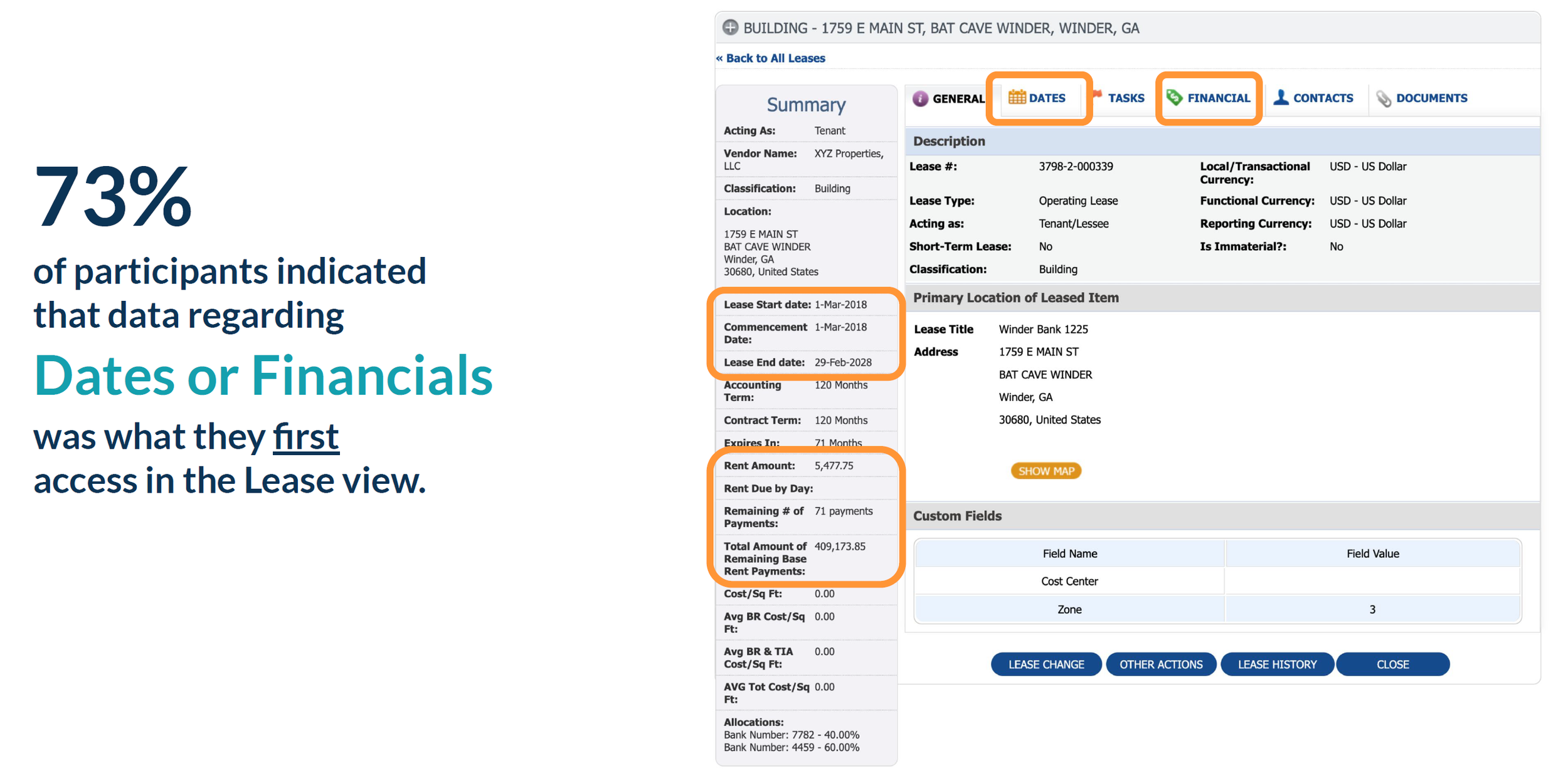
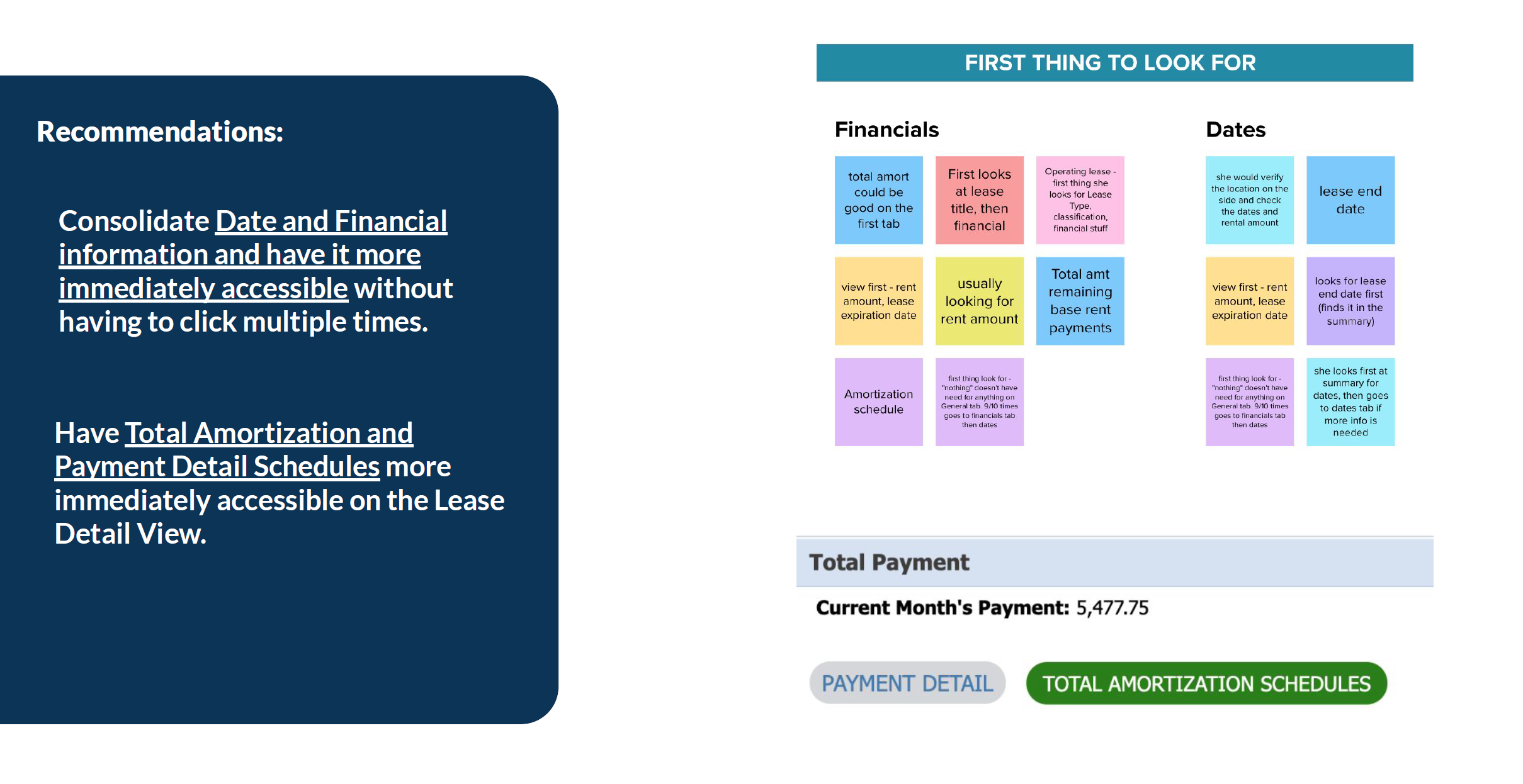
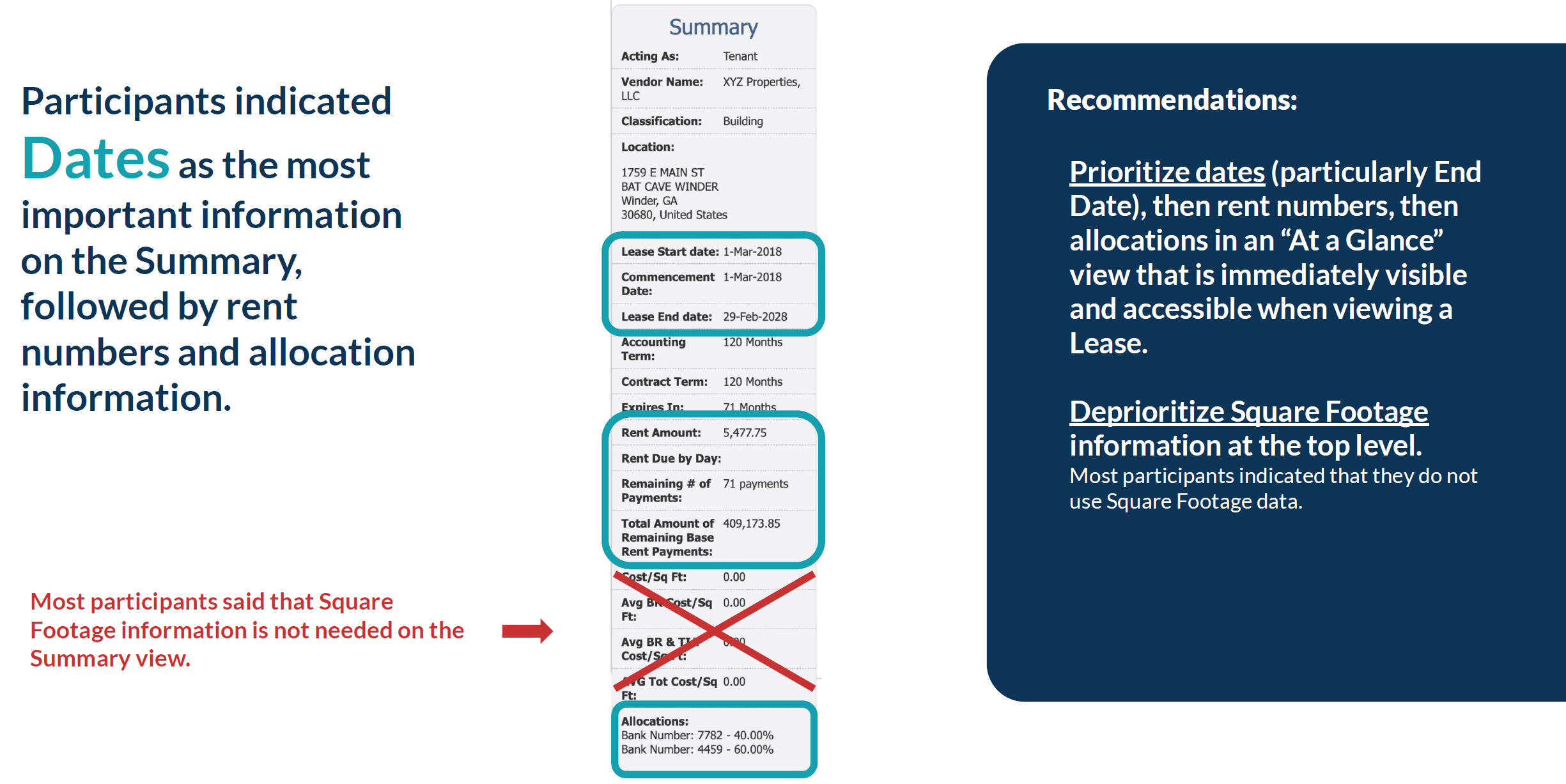
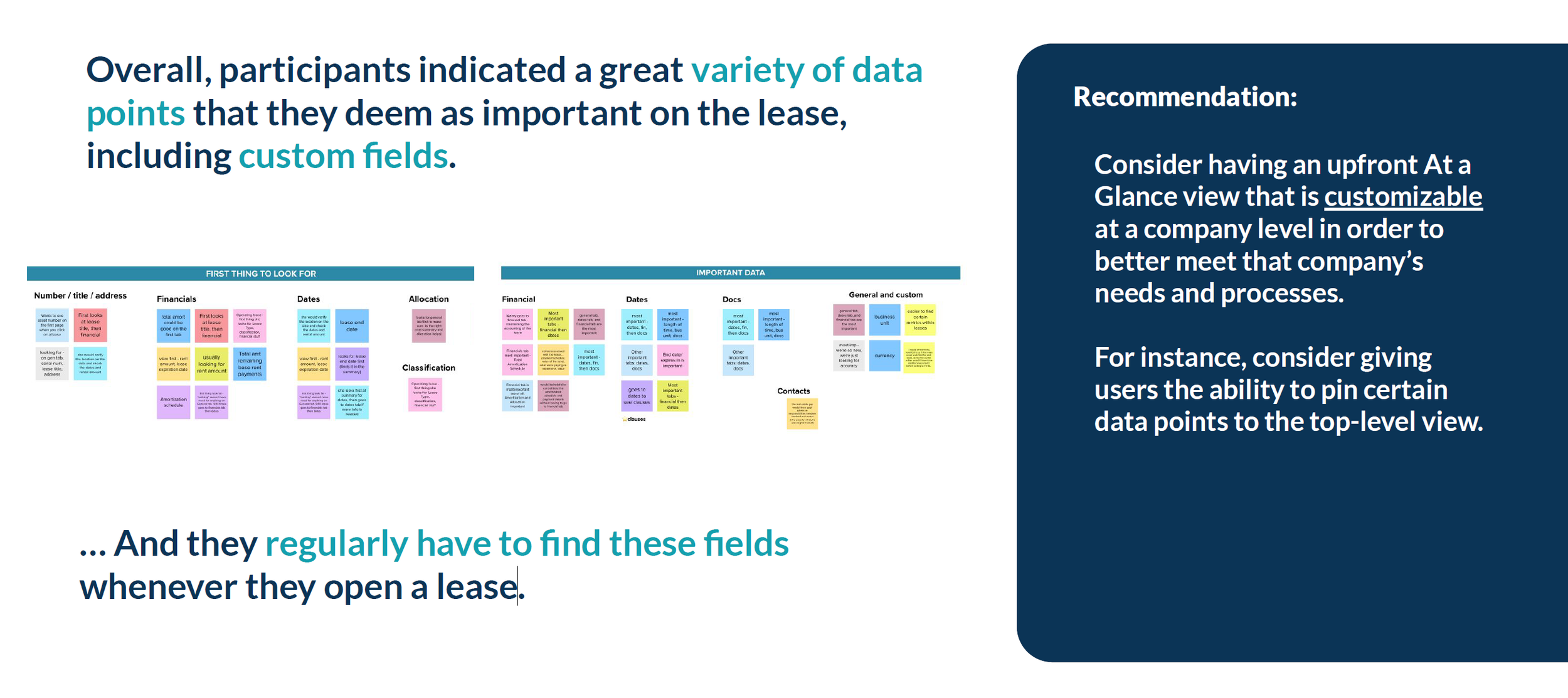
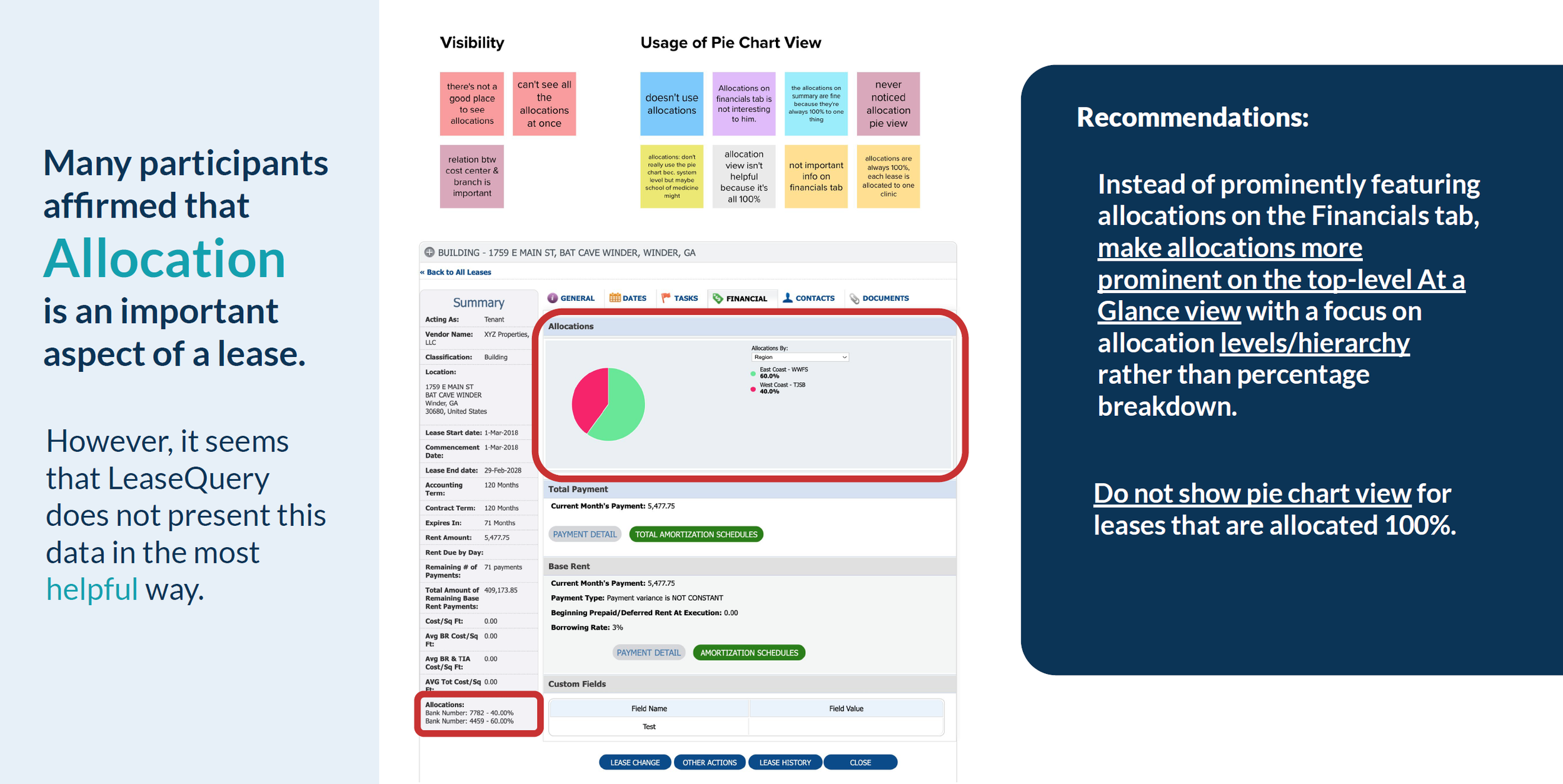
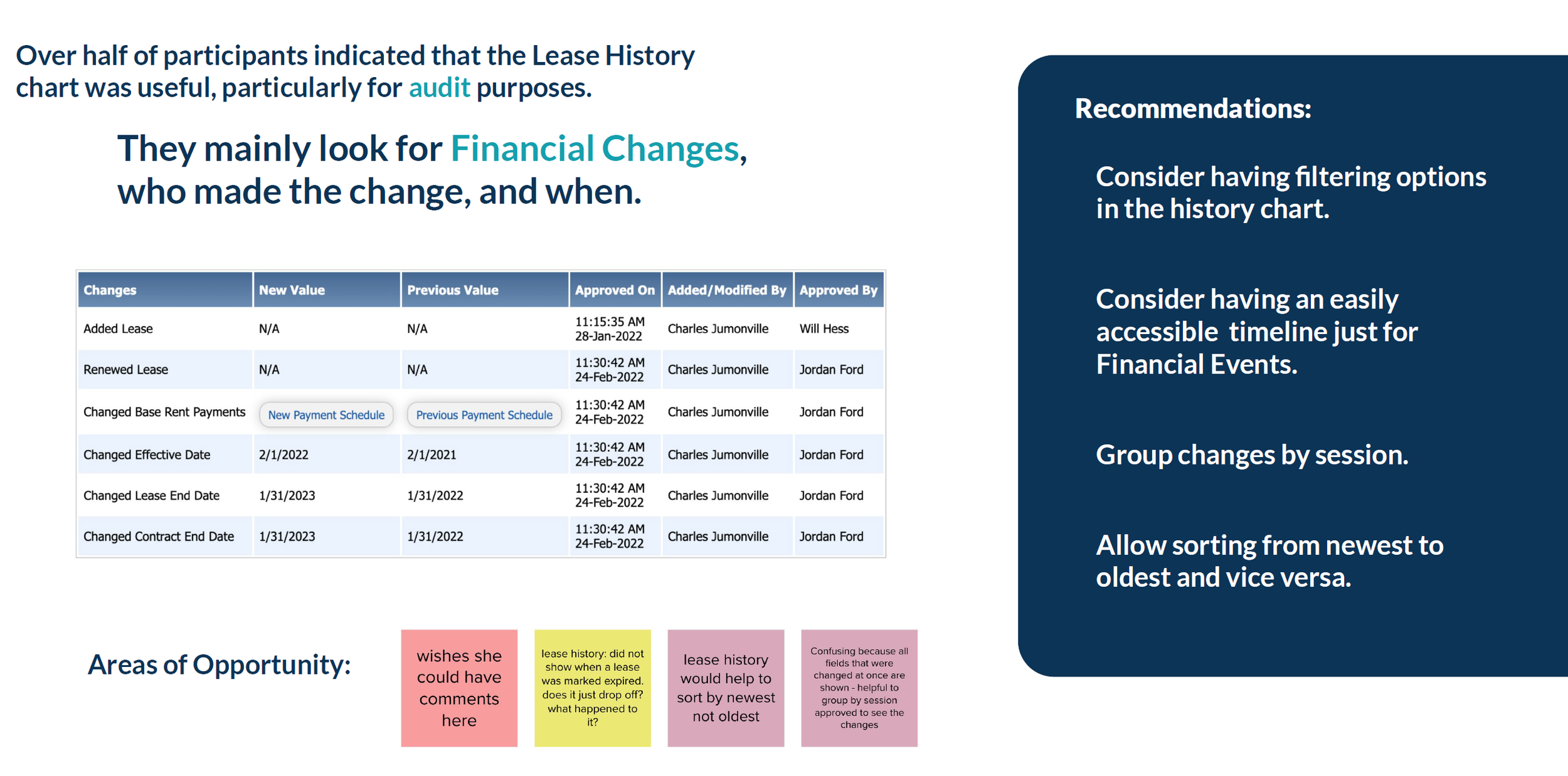
The biggest overall insight for the Lease View feature was that critical information was buried or hard to access. The clearest opportunity was to surface the most important details—like financials and key dates—at the top level of the view. These findings informed my structural design decisions.
Design Process
Concept Mapping & Information Architecture
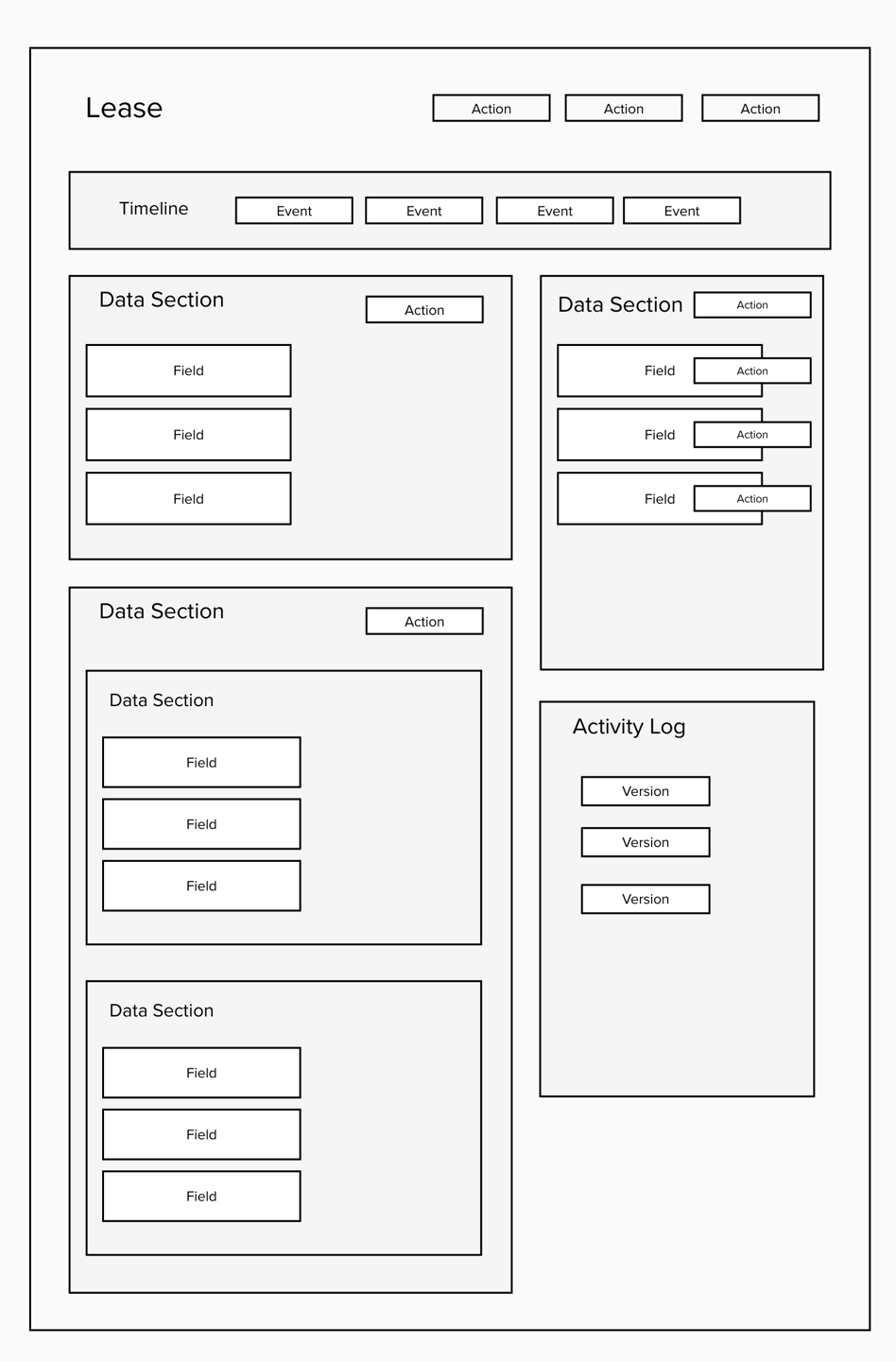
To begin the design process, I referenced the updated object map and created a rough wireframe to determine how key objects should be arranged on the page.
I also built concept maps (detailed and simplified) to visualize how data should interact across the system, helping align our team and stakeholders across related projects.
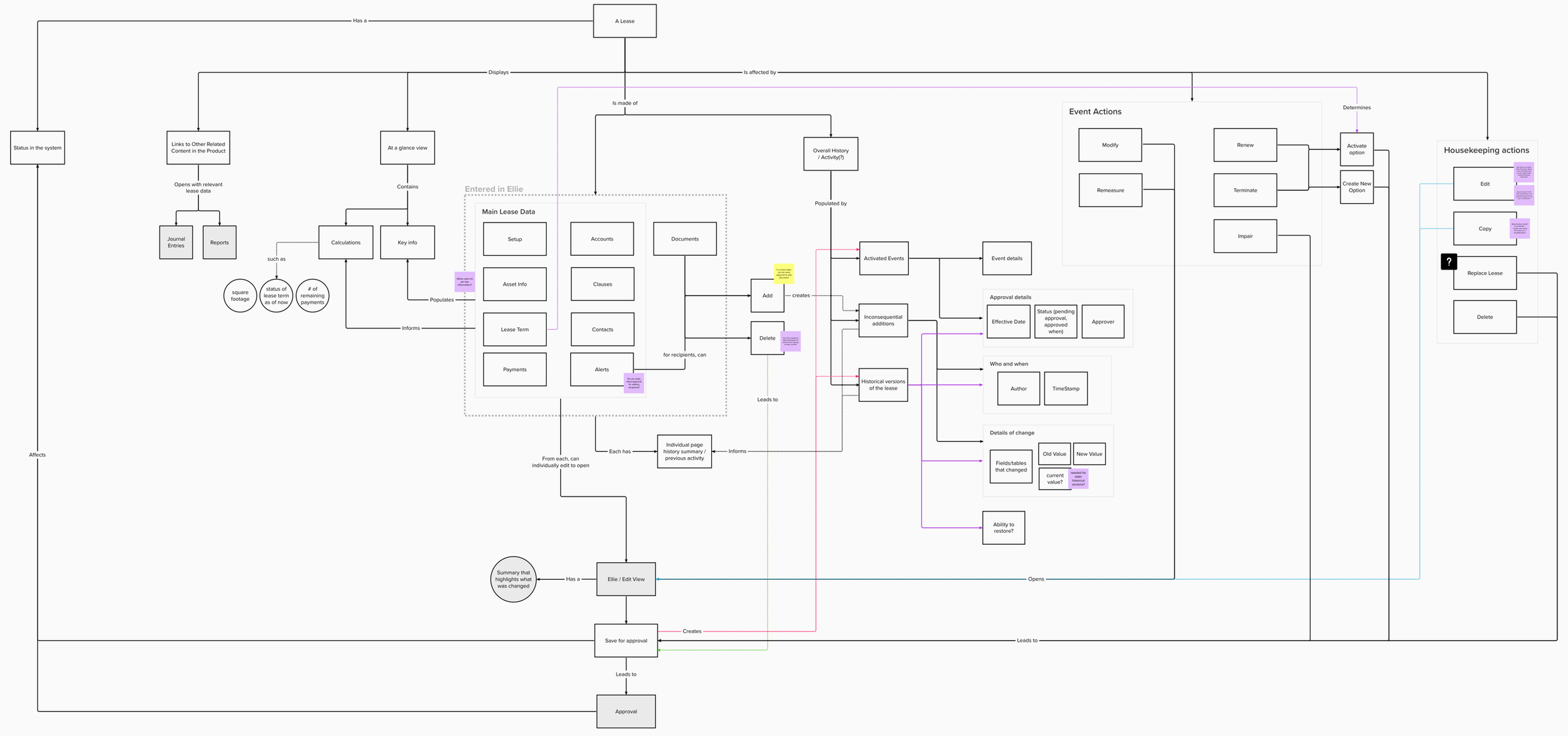
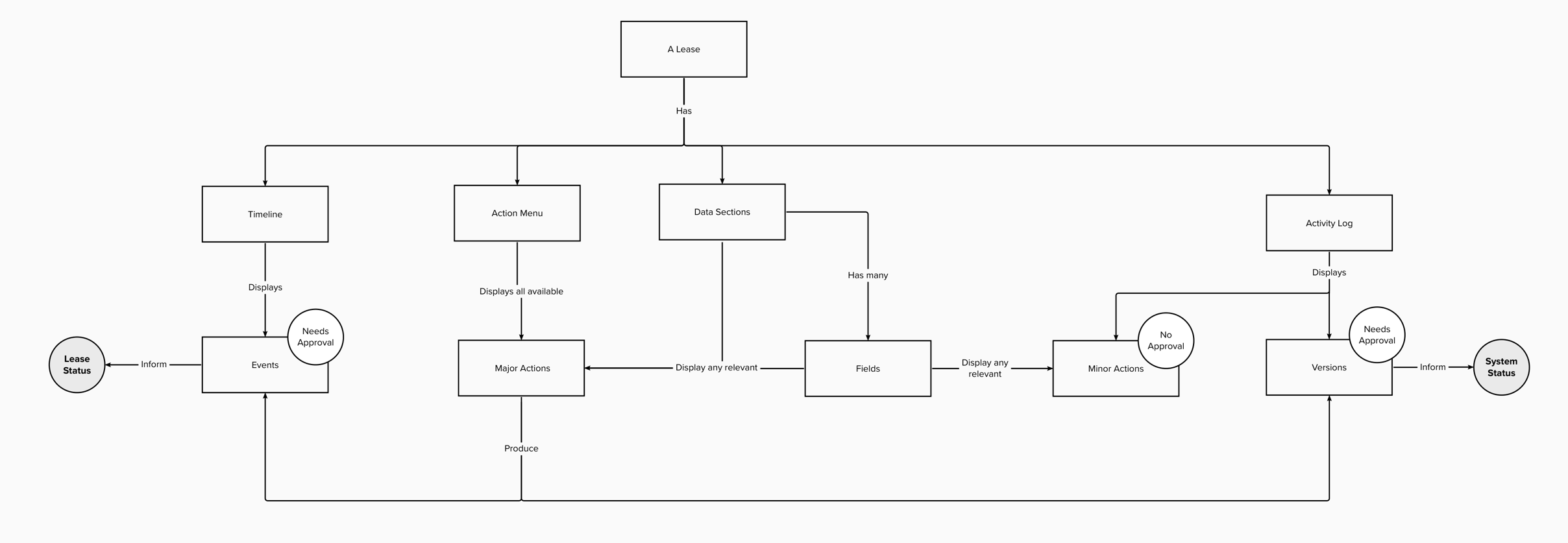
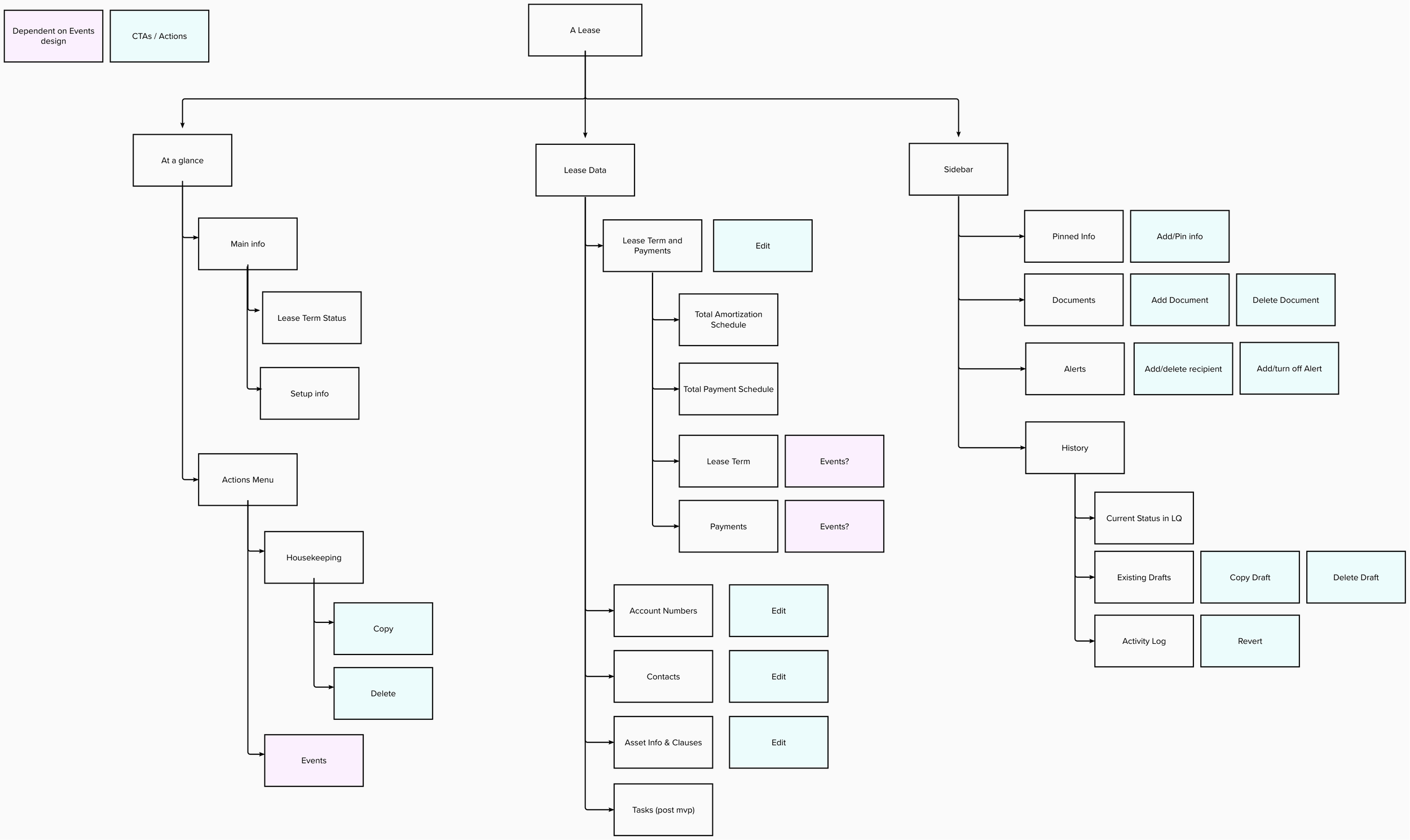
I also created a sitemap to propose a clear information architecture.
Initial Concepts and Wireframing
I started low-fidelity wireframes to explore different layouts and interaction patterns. Below, you can see some examples of my explorations and how the design evolved across iterations
I iterated until we decided on a static sidebar UI which would help make important information readily available in a consistent place as well as provide a space for information that is supplemental to the lease, such as documents, history, and comments.
Once we aligned on a static sidebar UI, we moved to mid-fidelity designs, refining components and interactions.
Key Design Improvements:
Persistent Sidebar UI: Kept critical lease details always visible.
Timeline & Status Display: Made current status of lease important dates easy to infer
Clear Action Menus: Made lease actions easily accessible.
Improved Search & Filters: Helped users quickly locate particular lease details
Enhanced Editing Capabilities: Allowed inline editing for better usability.
Flows and Interactions
We needed to explore how multiple users could interact with one record/lease at the same time. We held several brainstorming sessions to talk about and visualize potential flows and user journeys. We landed on a Pending Changes and Owner concept.
As wireframing progressed, I continued creating concept maps to guide discussions around data interactions and editing flows. These maps helped surface additional questions, concerns, and risks, and allowed us to clearly identify assumptions or unknowns and determine which features were in or out of scope.
From here, I was able to flesh out flows and produce a prototype to be used in user testing…
User Testing
We planned and conducted user testing across all active projects, including Lease View, to validate design decisions and uncover areas for improvement.
Research Setup
We defined research objectives for each project. For Lease View, objectives included:
Determine if the new order of content in the Lease View is more effective than the order in the current generally available product
Does the order and grouping of data elements seem logical and efficient?
Are the labels for tabs effective in indicating the information that each tab houses?
Identify areas where users expect to find certain information
Identify any missing information
Identify how users expect to be able to edit data of a lease.
Can the user identify how/where to edit data?
What does the user expect to happen after editing?
I wrote targeted hypotheses regarding interactions and user expectations to guide the sessions. Some examples include the following:
Users will like having Total Amortization Schedule and Total Payments Schedule upfront.
The clearly labeled tabs will allow the user to quickly navigate to find what they are looking for.
Users will expect to be able to click on an item on the sidebar directly in order to accomplish a basic action such as viewing in more detail.
Users will go to the field that they want to edit in order to edit it straight from there.
Users may not expect to be able to edit multiple things
Execution
We recruited 7 participants representing a range of user types.
Created a facilitator’s script organized by project, with questions prioritized based on research goals.
Included task-based scenarios focused on key areas like navigation, information discoverability, and editing workflows.
Conducted testing sessions over two weeks, facilitating discussions and taking detailed notes.
Consolidated findings using a Mural board to organize observations and affinitize insights.
User Testing Findings
The data from user testing allowed us to address many of our hypotheses. We presented both major insights and actionable recommendations to stakeholders, along with an appendix covering all findings.
Findings included the following examples:
Final Iterations
With the findings from the research, I made changes based on our recommendations and created a final high-fidelity prototype to use as a proof of concept which I presented to stakeholders and company leadership.
Key Takeaways
This project reinforced the importance of user research-driven design. By closely following user feedback and iterating based on testing insights, we delivered a solution that addressed real pain points. Additionally, collaboration across design, product, and development teams was crucial in ensuring the final design aligned with both user and business needs.
While the final design for Lease Detail View is yet to be fully implemented, the concepts that I developed laid the foundation for the new product FinQuery Contract Management, a major offering to add to the company’s portfolio. We were able to take the learnings from Lease Detail View and implement them for FCM’s Contract View.